TL;DR
-
VMware has moved from perpetual licensing to recurring subscription fees, which changes how businesses need to plan and manage IT budgets.
-
The new model includes bundled offerings, ongoing updates, and support, but it can also increase total costs over time.
-
The financial impact varies by business size, so it is important to review current licenses, long-term costs, and actual feature needs.
-
Organizations using VMware SaaS products should start planning their move to on-premises subscription offerings to avoid disruption and stay aligned with VMware’s roadmap.
VMware has made some big changes to its licensing model in 2024, shifting from one-time perpetual licenses to a subscription-based system. If your business relies on VMware solutions, these VMware subscription licensing changes could have a noticeable impact on your IT budget. Whether you’re a small business or a large enterprise, understanding how these changes affect costs is crucial to staying efficient.
In this blog, we’ll break down the changes and help you understand how to plan for them.
VMware's New Licensing Model
In the past, VMware operated on a perpetual licensing model, where businesses made a one-time purchase and used the software indefinitely. But with VMware’s 2024 transition to subscription licensing, that’s no longer the case. Now, businesses are paying annual or multi-year subscription fees for VMware products like VMware Cloud Foundation (VCF) and VMware vSphere Foundation (VVF).
What does this mean for your business?
Recurring Costs
Instead of paying once, businesses will now need to budget for recurring subscription fees each year.
Increased Value, Higher Costs
Subscription models come with continuous updates and support, but they may lead to higher costs over time.
Simplified Product Offerings
VMware has bundled multiple products into its new packages, which simplifies your options but may require adjustments to your IT strategy.
How VMware Licensing Shift Affects Your IT Budget
VMware’s move to subscription licensing has different implications depending on the size of your business. Here’s a breakdown:
Small Businesses
For small businesses, the shift to VMware subscription licensing can strain limited IT budgets. While the added support and updates might be beneficial, the recurring costs could be difficult to absorb.
- Tip: Make sure you're not overpaying for features your business doesn’t need. A lean approach to IT spending is key.
Mid-Size Businesses
Mid-size businesses may see a greater impact as they navigate more complex operations and multiple departments. Subscription models can increase costs, but they also offer more support and better scalability.
- Tip: Make sure to factor the recurring costs of VMware subscription licensing into your long-term IT strategy.
Large Enterprises
For larger enterprises, these changes can lead to bigger IT expenses, but there’s also an opportunity to benefit from the enhanced flexibility and added features of subscription licensing.
- Tip: Evaluate the total cost of ownership (TCO) and consider whether the added features are worth the higher price.
Adapting Your IT Strategy For VMware’s Subscription Licensing
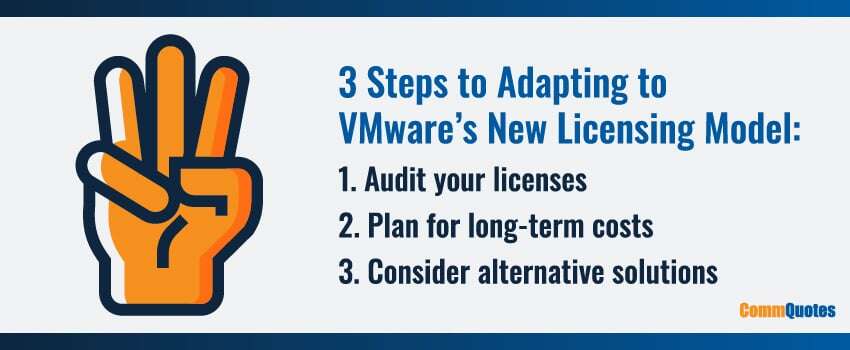
With VMware licensing changes, your business will need to adjust to this new way of operating. Here are a few steps to take:
Audit Your Licenses
Understand what you’re paying for and how those costs will change under the new VMware subscription licensing model.
Plan For Long-Term Costs
Make sure your IT budget accounts for the recurring nature of these new subscription fees.
Consider Alternative Solutions
If the costs seem too high, it might be time to explore other virtualization platforms like Microsoft Azure Stack, Citrix, or Nutanix.
VMware's Transition From Cloud-Connected To On-Premises Subscription Offerings
VMware has announced the end of availability of its SaaS offerings and is focusing on delivering on-premises products. Customers are encouraged to migrate from SaaS to on-premises deployments to benefit from ongoing product investments and the current roadmap.
The shift to on-premises subscription licensing is a major change in VMware’s business model. While some organizations might have preferred the flexibility of cloud-connected licensing, the new unified on-premises subscription model aims to provide better control, streamlined licensing, and improved security.
If your organization relies on VMware’s SaaS solutions, now is the time to start planning your transition. Taking proactive steps will help you avoid service disruptions, maintain compliance, and fully leverage VMware’s evolving product ecosystem.
VMware’s Subscription Licensing FAQs
What Changed In VMware’s Licensing Model?
VMware has moved away from perpetual licensing and shifted to a subscription-based model. That means businesses now need to plan for annual or multi-year recurring costs instead of making a one-time software purchase.
How Does VMware’s Subscription Licensing Affect IT Budgets?
The biggest change is that VMware costs become an ongoing budget item rather than a one-time capital expense. While the model includes updates and support, it can also increase total spending over time and may require a closer review of your long-term IT budget.
Are VMware’s New Bundles Good For Every Business?
Not always. VMware’s new bundled packages can simplify product selection, but they may also include features your organization does not fully need. That is why it is important to review what your business actually uses before committing to a subscription package.
Why Might Small Businesses Feel A Bigger Impact?
Small businesses often have less room in the budget to absorb recurring software costs. Even if the added support and updates are useful, the shift to subscription pricing can create more pressure on lean IT spending.
What Should Mid-Size And Large Businesses Evaluate First?
Mid-size and large organizations should look closely at scalability, feature requirements, and total cost of ownership. In many cases, the right question is not just whether the subscription offers more capabilities, but whether those capabilities justify the higher ongoing cost.
How Can Businesses Adapt To VMware’s New Licensing Structure?
A practical starting point is to audit your current licenses, identify what you are paying for, and map those costs against the new subscription model. From there, you can build recurring licensing costs into your long-term IT plan and decide whether your current setup still makes financial sense.
Should Businesses Consider VMware Alternatives?
Yes, especially if the new pricing structure feels too expensive for your environment or includes more than you need. The article notes that businesses may want to explore other virtualization platforms such as Microsoft Azure Stack, Citrix, or Nutanix when reassessing fit and cost.
What Does VMware’s Shift From SaaS To On-Premises Offerings Mean?
VMware has ended availability for its SaaS offerings and is now focused on on-premises subscription products. For organizations using VMware’s cloud-connected solutions, that means planning a transition early to avoid disruption, maintain compliance, and stay aligned with VMware’s current product direction.
How Can CommQuotes Help With VMware Licensing Changes?
CommQuotes helps businesses evaluate VMware changes with vendor-agnostic guidance and support. The company also works with authorized VMware partners to help organizations secure competitive pricing and determine whether VMware or an alternative is the better fit for their needs.
Managing Costs With VMware’s Subscription Licensing Changes
VMware’s shift to subscription licensing brings both challenges and opportunities. On the one hand, businesses benefit from greater flexibility, ongoing support, and access to the latest features. On the other hand, the recurring fees can add up – and may require a re-evaluation of your IT budget.
At CommQuotes, we help businesses navigate these types of changes by offering vendor-agnostic advice and expert guidance. We’ll leverage our unique relationships with authorized VMware partners to get your organization the lowest prices, insulating you from massive price increases while ensuring you get the most value from your VMware investment.
If you’re wondering how VMware’s subscription licensing changes could impact your IT budget – or if you’re considering alternatives – reach out to us for a consultation. We’re here to help you find the right solution at the best possible price.