I've had more conversations about VMware in the last eighteen months than in the previous decade combined. Not because clients suddenly got curious about hypervisors – but because their renewal notices started arriving with numbers that didn't make sense anymore.
If you're running VMware anywhere in your environment, you've probably felt some version of this already. Maybe it's a licensing quote that jumped without warning. Maybe it's a reseller who suddenly can't service your account anymore. Maybe it's just a nagging sense that the ground has shifted under a platform you've trusted for years.
It has. And as someone who spends my days helping organizations navigate exactly this kind of infrastructure decision – without a stake in which vendor they choose – I want to walk through what's actually happened, what it means for you, and how to think clearly about what comes next.
How We Got Here: Broadcom's Acquisition and the End of "Business as Usual"
Broadcom closed its acquisition of VMware in 2023, and the ripple effects have touched nearly every corner of the virtualization market since. The most significant shift was structural: VMware moved away from the à la carte licensing model that let businesses buy exactly the products they needed, and consolidated everything into two subscription bundles – VMware Cloud Foundation (VCF) and VMware vSphere Foundation (VVF).
If that sounds simpler on paper, in practice it means something very different for a lot of organizations: paying for capabilities you don't use, because they're now bundled with the ones you do.
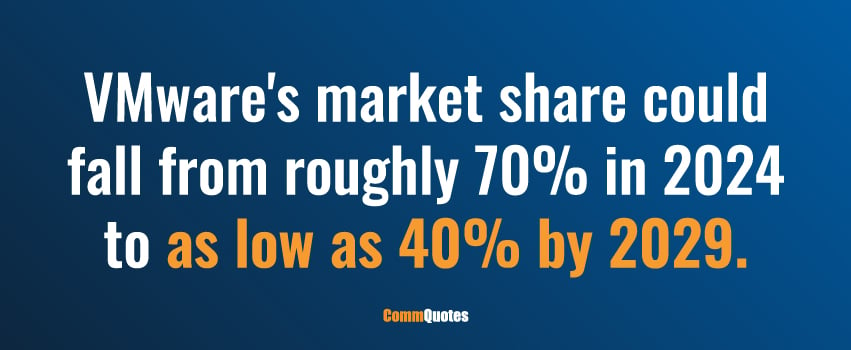
The numbers tell the story better than I can. One organization I'm aware of saw a 400% increase in their VMware licensing costs at renewal. Tesco, the UK retail giant, made headlines announcing plans to migrate 40,000 server workloads off VMware entirely. And in a widely cited CloudBolt survey, 88% of VMware customers said they're worried about future price increases, while 86% reported they're actively working to reduce their VMware footprint.1 CloudBolt's own analysis projects VMware's market share could fall from roughly 70% in 2024 to as low as 40% by 2029.
That's not a rounding error. That's a market in the middle of a genuine transition – and if you're running VMware anywhere in your stack, you have a decision to make, whether you've acknowledged it yet or not.
What Actually Changed: A Plain-English Breakdown
Let me walk through the concrete changes, because a lot of the anxiety I hear from clients comes from not knowing exactly what's different versus what's just rumor.
Perpetual licenses are gone. If you were running VMware on a license you bought once and never had to renew, that model doesn't exist anymore. Everything is subscription-based now.
Free ESXi is no longer free. The hypervisor that a lot of smaller shops and labs relied on at no cost has been discontinued as a free offering.
Several standalone products have been retired or folded into bundles. VMware Site Recovery and Cloud Flex Storage for AWS were discontinued outright. Products like vSAN and the Aria cloud management suite can no longer be purchased separately – they're now part of the VCF or VVF bundle, whether you need the rest of the bundle or not.
The desktop tools got an unusual treatment. Workstation Pro and Fusion Pro actually moved the other direction – they went from paid products to free offerings, which is a rare bit of good news in this whole transition.
The portfolio itself got a lot simpler – and a lot less flexible. VMware retired legacy editions and packaging options, consolidating everything around two core platforms:
- VMware Cloud Foundation (VCF) – the flagship private cloud platform, bundling compute, storage, networking, security, and management into one integrated framework
- VMware vSphere Foundation (VVF) – a lighter version for organizations that need core virtualization and management without the full VCF feature set
If you're trying to figure out which bucket your current environment falls into, that's usually the first conversation worth having with whoever manages your infrastructure relationship.
The Date That Should Be on Your Calendar: October 11, 2027
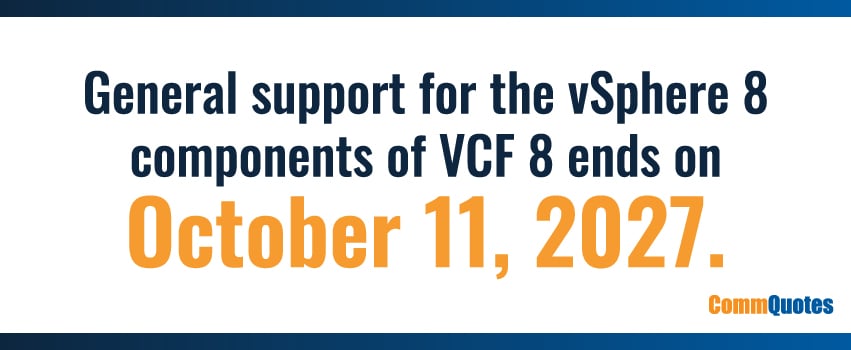
Here's the piece of this that I think deserves more attention than it's gotten: general support for the vSphere 8 components of VCF 8 ends on October 11, 2027.
After that date, if you're still running on that version, you stop receiving software updates, security patches, and technical support. Full stop. For any organization with compliance obligations, that's not a hypothetical risk – that's an unsupported environment sitting in the middle of your infrastructure.
Here's why I bring this date up early and often with clients: virtualization migrations typically take 10 to 12 months to execute properly. That's not overnight work – it involves workload assessment, dependency mapping, testing, and a phased cutover that doesn't blow up your operations along the way.
Do that math, and the window to make a calm, well-planned decision is already closing. If you haven't started evaluating your options yet, this is the year to start – not the year before the deadline hits.
The Partner Ecosystem Got Smaller – And That Matters More Than People Realize
One part of this story that doesn't always make it into the conversation: Broadcom significantly shrank VMware's cloud service provider program. What was a network of roughly 4,500 providers globally has been reduced to somewhere around 400 authorized partners, now organized into a more selective tiered structure (Pinnacle and Premier partners, specifically).
If your organization worked with an MSP or reseller that got cut from that program, you may already be dealing with the fallout – a partner who can no longer service your VMware environment the way they used to, or who's scrambling to figure out their own path forward.
I mention this because it's a good reminder that "sticking with what you know" isn't always the stable choice it appears to be. Even organizations who want to stay firmly in the VMware ecosystem may find themselves needing a new partner relationship simply because their old one no longer has the authorization to support them.
Should You Stay With VMware, or Is It Time To Look Elsewhere?
This is the question I get asked the most, and I'll be honest: there's no universal right answer. It depends entirely on your environment, your workloads, and your risk tolerance. But here's how I think about it.
The Case for Staying
Broadcom has reported that more than 90% of VMware's largest clients have already purchased VCF licenses – which tells you that, for a lot of large enterprises, staying put and adapting to the new model is still the practical path. Interestingly, in that same CloudBolt survey I mentioned earlier, 54% of respondents said they're staying with VMware while actively working to reduce their dependence on it – which suggests a lot of organizations are taking a phased, partial approach rather than an all-or-nothing migration.
If you're leaning toward staying, here are the questions I'd want you to have clear answers to:
- How is your licensing actually calculated? VCF and VVF licensing is based on physical cores, with a minimum of 16 cores per socket – which can meaningfully change your cost structure depending on your hardware.
- When is your next hardware refresh cycle? This is often the natural point where you decide to stay or migrate, intentionally or not.
- How does this affect your disaster recovery strategy? If your DR site is built around VMware, it's worth comparing that model against what a cloud provider's consumption-based approach would look like instead.
- Are you optimizing your actual compute consumption? A lot of organizations are paying for capacity they don't need simply because no one has revisited their sizing since before the licensing changes.
- Are you comfortable with three-year commitments? Bundle add-ons under the new model require a three-year contract – which is a longer commitment than a lot of organizations are used to making for infrastructure services.
One resource worth knowing about if you do decide to stay: VMware has released a VCF 9.1 Upgrade Planning Tool that walks through resource requirements, networking considerations, and common migration pitfalls. It's a useful starting point even if you ultimately bring in outside help to execute the plan.
The Case for Migrating
If you're dissatisfied with where things have landed – the pricing, the bundling, the reduced flexibility – you're far from alone, and there are real, mature alternatives worth evaluating.
But I'd push back gently on the idea that migrating away from VMware is a simple cost-savings play. It rarely is. VMware's platform often quietly handles networking, storage, security, and management functions that you'll need to replace individually if you move elsewhere. The migration itself introduces cost and complexity that needs to be weighed honestly against what you're trying to escape.
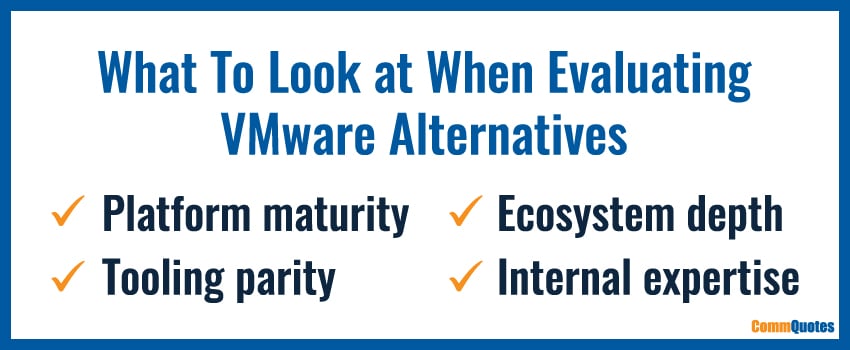
When I'm helping a client evaluate alternatives, I push them to look past the licensing cost comparison and consider:
- Platform maturity. How proven is this solution in production environments at your scale – not just in a vendor's case studies, but in independent references you can actually call?
- Tooling parity. Are the management, automation, monitoring, backup, and disaster recovery capabilities genuinely comparable to what you have today, or are you accepting a downgrade in exchange for lower licensing costs?
- Ecosystem depth. Does the platform have a real network of technology partners, integrations, and third-party support – or are you going to be running into walls the moment you need something outside the core feature set?
- Internal expertise. Does your team already have the skills to deploy, manage, and support this platform, or are you signing up for a steep learning curve on top of everything else?
The Alternatives Worth Knowing About
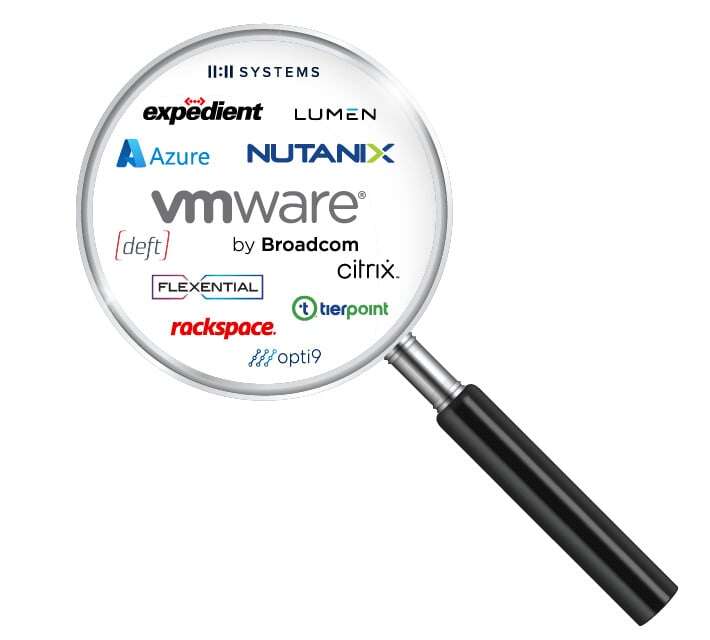
I'm not going to pretend every alternative platform deserves equal consideration for every environment – they don't. But here's an honest look at where the leading options stand today.
Microsoft Hyper-V / Azure Stack is the natural fit if you're already deep in the Microsoft ecosystem. It's included with Windows Server, integrates cleanly with Active Directory and Azure, and doesn't require additional licensing for Windows workloads. Where it falls short is scale and maturity – it's simply not as battle-tested as vSphere in the largest, most complex deployments, and the third-party ecosystem is thinner.
Nutanix pairs a license-free hypervisor (AHV) with strong hyperconverged infrastructure tooling and solid built-in disaster recovery automation. The catch is that you generally need to commit to the full Nutanix stack to get those benefits, and its advanced networking capabilities lag behind VMware's.
Red Hat Virtualization / RHEL KVM is a strong option for Linux-heavy environments, with deep integration into Ansible and OpenShift and genuinely open-source roots. Worth knowing: Red Hat itself is moving away from RHV in favor of OpenShift Virtualization, so this is a platform in transition of its own, and Windows VM setups tend to be more complex here than elsewhere.
Proxmox VE has built a passionate following as a free, open-source option with an intuitive interface and support for both KVM and LXC containers. It's a great fit for smaller environments and labs, but it lacks the formal enterprise support structure that larger organizations typically require.
Citrix Hypervisor makes the most sense if you're already running Citrix Virtual Apps and Desktops – it's optimized for that use case specifically, but its market share and pace of innovation have both slowed considerably compared to the mainstream players.
Oracle VM / VirtualBox is worth a look almost exclusively if you're heavily invested in Oracle workloads and licensing. Outside of that specific context, adoption and feature depth both drop off quickly.
OpenStack offers strong performance for Linux-native, cloud-first environments, but it requires real in-house expertise to manage at scale, has no native management GUI, and isn't built for traditional on-premises deployment.
AWS (via EC2, VPC, and related services) is the obvious choice if your strategy is shifting toward public cloud rather than another on-prem or hybrid hypervisor entirely – though that's a fundamentally different infrastructure conversation than a like-for-like VMware replacement.
IBM PowerVM is a strong, high-performance option, but only if you're running IBM Power hardware – it's not a general-purpose alternative, and licensing tends to be expensive.
Scale Computing (HC3) combines hyperconverged infrastructure and hypervisor into one simple package, which makes it a good fit for SMB and edge deployments, though it comes with the tradeoff of being tied to Scale's own hardware.
StratiSERV stands out for flexibility – it runs on virtually any x86 hardware, scales from a single node to hundreds, and supports confidential computing frameworks along with integration across dozens of cloud providers. Its focus today is primarily edge and on-premises data center deployments, and ARM support is still on the roadmap rather than available now.
None of these is a drop-in replacement for VMware. Each involves real trade-offs, and the right one depends entirely on your workloads, your team's skill set, and where you want your infrastructure strategy to head over the next five years.
Five Questions Worth Asking Yourself Before You Do Anything Else
Whether you're leaning toward staying with VMware or seriously evaluating alternatives, here are the questions I'd want clear answers to before making any commitment:
- What VMware products and services are actually supporting your environment today? You'd be surprised how often this isn't fully documented.
- When is your next VMware license renewal? This determines how much runway you actually have to make a deliberate decision rather than a rushed one.
- Where are you in your hardware refresh cycle? Any planned refresh in the next 12–24 months is a natural inflection point for this decision.
- Have you evaluated alternative virtualization or cloud platforms seriously – not just skimmed a comparison chart, but actually assessed fit against your workloads?
- What's your long-term infrastructure strategy? The VMware decision shouldn't be made in isolation from where you want your broader IT environment to be in three to five years.
Where CommQuotes Comes In
I'll be straightforward about why I'm writing this: I'm not selling VMware, and I'm not selling any of the alternatives I just walked through. My job – and CommQuotes' entire model – is to sit on your side of the table and help you make sense of decisions like this one without a vendor's incentive shaping the conversation.
The VMware landscape has gotten genuinely more complicated over the past two years, and with the October 2027 support deadline approaching faster than most people realize, this isn't a decision to leave sitting on the back burner. Whether you ultimately decide to stay within the VMware ecosystem or move toward one of the alternatives I've described, the right first step is an honest, unbiased assessment of your specific environment – not a sales pitch from whichever vendor gets to you first.
That's exactly the conversation my team and I have with clients every week. If you're facing a VMware renewal, sitting on an unclear migration timeline, or just trying to figure out where you stand, I'd welcome the chance to talk it through.
Connect with our team today – let's figure out the right path for your infrastructure together.
Source: