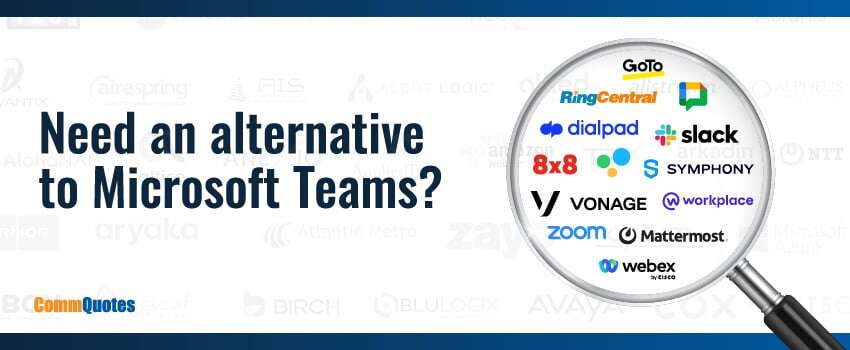
As businesses navigate the evolving landscape of communication tools, many are reassessing their reliance on Microsoft Teams, especially with recent changes to its licensing model. Whether you’re looking for cost-effective options or tools with unique features that better align with your organizational needs, there are several robust alternatives to consider. In this blog, we’ll explore the top alternatives to Microsoft Teams for business communication.
Why Consider Microsoft Teams Alternatives?
Microsoft Teams has been a popular choice for many businesses due to its integration with the Microsoft 365 suite. In fact, at the start of 2024, the software was used by over one million customers in the U.S. alone.1 However, the recent licensing changes have prompted some organizations to seek out other business communication tools that might offer better value or different capabilities. Here’s a closer look into some of the best alternatives available today.
How To Choose The Right Microsoft Teams Alternative For Your Business
Choosing a Microsoft Teams alternative is not just about finding a tool with chat and video. The right platform should support how your team actually works, fit your existing systems, and remain cost-effective as your organization grows.
Before comparing providers, it helps to define what success looks like for your business. That way, you can narrow your options based on operational needs instead of feature overload.
Start With Your Primary Communication Needs
Not every business needs a full Microsoft Teams replacement. Some organizations mainly need a better meeting experience. Others care more about business calling, messaging, or collaboration across departments.
Start by identifying what your team uses most often today:
- Internal messaging and team collaboration
- Video meetings and screen sharing
- Business phone and calling features
- File sharing and document collaboration
- External communication with clients, vendors, or partners
This helps you focus on platforms that solve your most important communication challenges first.
Evaluate How The Platform Fits Your Existing Tech Stack
A communication platform rarely works in isolation. It needs to fit into the tools your team already relies on every day.
For example, if your organization is deeply invested in Microsoft 365, switching to a new platform may affect workflows tied to Outlook, OneDrive, SharePoint, or other Microsoft tools. If your business operates heavily in Google Workspace or a CRM-centered environment, integration quality may be just as important as the communication features themselves.
The goal is to reduce friction, not create new silos.
Compare More Than Just The Core Features
Most modern communication tools offer chat, meetings, and file sharing. What often makes the difference is how well they handle the details that matter in daily operations.
As you evaluate alternatives, look closely at factors such as:
- Admin controls and user management
- Security and compliance support
- Mobile usability for distributed teams
- Reporting and analytics
- Reliability and call quality
- Integration depth (not just integration availability)
Two tools may look similar on a feature list but perform very differently once your team starts using them.
Consider Total Cost, Not Just Monthly Seat Price
Pricing can be misleading if you only compare entry-level plans. In practice, total cost often includes add-ons, implementation effort, training time, support needs, and the resources required to manage the platform.
A lower-cost option may become expensive if it requires multiple third-party tools to fill gaps. On the other hand, a more complete solution may reduce overall complexity and cost over time.
The best value is the platform that supports your workflow efficiently, not simply the one with the lowest advertised price.
Shortlist & Test Before You Commit
Once you narrow your options, run a pilot with a small group of users before making a full rollout decision.
A short trial can help you validate:
- Ease of adoption
- Meeting and calling quality
- Integration performance
- Admin setup experience
- User satisfaction across teams
This step can prevent costly switching decisions and helps ensure the final choice is a good fit for your business communication strategy.
1. RingCentral RingEX
RingCentral’s RingEX is a powerful communication platform that offers seamless integration of voice, video, messaging, and collaboration tools. It’s designed to be user-friendly and scalable, making it an excellent choice for businesses of all sizes.
Key Features:
- Unified messaging, video, and phone services
- Integrations with popular business apps like Salesforce and Slack
- Robust mobile app for on-the-go communication
2. 8×8
8×8 provides a comprehensive suite of communication tools that cater to the needs of modern businesses. With features like voice, video conferencing, team messaging, and contact center solutions, 8×8 is a versatile alternative to Microsoft Teams.
Key Features:
- HD video and audio conferencing
- Advanced analytics and reporting
- Integration with CRM tools like Salesforce and Zendesk
3. Dialpad
Dialpad is a cloud-based business communication tool that emphasizes simplicity and efficiency. It offers voice, video, and messaging services, all powered by AI to enhance productivity and collaboration.
Key Features:
- Voice intelligence features like real-time transcription and sentiment analysis
- Seamless integration with Google Workspace and Microsoft 365
- Intuitive mobile and desktop apps
4. GoTo
GoTo, formerly known as GoToMeeting, provides a suite of communication and collaboration tools designed to keep teams connected and productive. Its offerings include video conferencing, webinars, and virtual events.
Key Features:
- Reliable video and audio quality
- Easy-to-use interface with no downloads required for participants
- Comprehensive webinar hosting capabilities
5. Vonage
Vonage Business Communications offers a robust set of features tailored for business needs. It includes voice, video, SMS, and team collaboration tools, making it a strong contender in the list of Microsoft Teams alternatives.
Key Features:
- Flexible VoIP solutions
- Integration with CRM systems like Salesforce
- Customizable call routing and management features
6. Zoom
Zoom has become synonymous with video conferencing, but it also offers a comprehensive suite of communication tools that include chat and phone services. Its ease of use and reliability make it a popular choice for businesses.
Key Features:
- High-quality video and audio conferencing
- Zoom Phone for cloud-based telephony
- Integration with various business applications
7. Slack
Slack is a well-known team collaboration tool that emphasizes messaging and integrations. It’s designed to streamline communication and foster collaboration across teams and departments.
Key Features:
- Channels for organized team communication
- Integrations with over 2,000 apps, including Google Drive, Trello, and Zoom
- Advanced search functionality
8. Google Chat
Google Chat is part of Google Workspace and offers a straightforward messaging platform integrated with Google’s suite of productivity tools. It’s ideal for businesses already using Google Workspace.
Key Features:
- Direct messaging and group conversations
- Integration with Google Workspace apps like Gmail and Google Drive
- Robust security and compliance features
9. Webex Suite
Cisco’s Webex Suite offers a comprehensive set of tools for meetings, messaging, and calling. It’s designed to support seamless communication and collaboration across devices and locations.
Key Features:
- High-quality video conferencing
- Secure messaging and file sharing
- Integration with business applications like Salesforce and Microsoft 365
10. Mattermost
Mattermost is an open-source messaging platform that provides secure and flexible team communication. It’s a great alternative for organizations that require high customization and control over their communication tools.
Key Features:
- Self-hosted or cloud deployment options
- Advanced security and compliance features
- Integrations with developer tools like Jira and GitHub
11. Symphony
Symphony is a secure messaging platform designed for financial services and regulated industries. It offers robust encryption and compliance features to ensure secure communication.
Key Features:
- End-to-end encryption and compliance features
- Integration with financial market data and tools
- Secure collaboration and messaging
Questions To Ask Before Switching From Microsoft Teams
Switching from Microsoft Teams can improve usability, cost control, or feature alignment, but only if the change is planned carefully. Before making a move, it is worth stepping back and asking the right questions so you can solve the real problem, not just replace one platform with another.
Do You Need A Full Replacement Or A Better Tool For One Function?
Not every organization that is frustrated with Microsoft Teams needs to replace it completely. In many cases, the issue is more specific. A team may be unhappy with meeting quality, business calling capabilities, day-to-day messaging, or the way external collaboration works with clients and partners. When you identify the exact source of friction, it becomes easier to evaluate whether you need a full platform change or a more targeted solution that addresses one communication gap.
How Dependent Is Your Team On Microsoft 365 Workflows?
Microsoft Teams is often closely connected to the broader Microsoft 365 environment, which means a switch can affect more than messaging and meetings. Before moving to another platform, consider how your team currently works with Outlook, file sharing, scheduling, and internal collaboration processes. If those workflows are deeply embedded, your migration plan should account for how people access files, schedule meetings, manage permissions, and adapt to new ways of working. The more connected your current setup is, the more important rollout planning and user training become.
What Communication Capabilities Are Mission-Critical?
Different businesses rely on communication tools in very different ways. Some teams mainly need internal messaging and video meetings, while others depend on voice, telephony, call routing, and broader unified communications features to support daily operations. Before switching, define which capabilities are essential for your business and which are simply nice to have. This helps you avoid choosing a platform that looks strong in general collaboration but falls short in the areas your teams depend on most.
What Security, Compliance & Admin Requirements Apply?
Security and governance should be part of the evaluation process from the beginning, especially for organizations that handle sensitive data or operate in regulated industries. Communication platforms can differ significantly in how they support data control, access management, permissions, retention, and compliance requirements. This is especially relevant when comparing proprietary cloud platforms with open-source or self-hosted options. A platform may appear to meet your collaboration needs, but if it creates gaps in governance or increases administrative risk, it may not be the right fit.
What Will Adoption & Rollout Actually Look Like?
Even the best platform can underperform if users do not adopt it. Before switching, think through how the rollout will affect daily communication, who will own implementation and administration, and which teams should be involved in testing the new platform first. A successful transition usually depends on a phased rollout, realistic onboarding, and clear success criteria. When businesses plan for adoption early, they are far more likely to choose a solution that works in practice, not just on paper.
Find The Right Business Communication Tool With CommQuotes
While Microsoft Teams has been a go-to solution for many businesses, the recent licensing changes present an opportunity to explore alternatives that may better suit your needs. Each of the tools listed above offers unique features and advantages, making them viable options for enhancing your business communication strategy.
At CommQuotes, our expertise in Microsoft Teams and other business communication tools enables us to provide tailored recommendations that align with your specific needs. Whether you’re considering a switch from Microsoft Teams or looking to enhance your current setup, we’re here to guide you every step of the way. Contact us today for agnostic recommendations – and expert help optimizing your communication solutions for better efficiency and cost savings.
Microsoft Teams Alternatives FAQs
How To Choose The Right Microsoft Teams Alternative For Your Business?
Start by identifying your primary communication needs first, such as messaging, meetings, business calling, or broader collaboration. Then evaluate how well each platform fits your existing tools, supports your security and admin requirements, and scales with your team. A short pilot with real users is usually the best way to confirm fit before committing.
What’s The Difference Between Microsoft Teams And Open Source Alternatives?
Microsoft Teams is a proprietary platform, while open-source alternatives (such as Rocket.Chat and Mattermost) generally offer more control over deployment and customization, including self-hosted options. The tradeoff is that open-source tools may require more technical resources to deploy, maintain, and manage effectively. Rocket.Chat and Mattermost both document self-managed and deployment-focused options in their official resources.
Are Open-Source Alternatives Better For Security And Compliance?
Not automatically. Open-source platforms can provide stronger control over data location, infrastructure, and configuration, which can be valuable for organizations with strict requirements. However, security outcomes still depend on how the platform is deployed, configured, monitored, and maintained. The right choice depends on your internal IT capabilities and compliance needs.
Can A Business Switch From Microsoft Teams Without Disrupting Operations?
Yes, but it usually requires a phased rollout. The most effective approach is to audit current Teams usage, identify critical dependencies, pilot the new platform with a smaller group, and train users before a wider rollout. This reduces disruption and makes it easier to address issues early.
Is Microsoft Teams Free Suitable For Business Use?
Microsoft offers free Teams options, but Microsoft’s official pages distinguish between personal/free experiences and separate business plan options. Businesses should review plan details carefully and compare them against operational needs, especially if they need advanced admin, calling, or governance features.
Should You Choose One All-In-One Platform Or Separate Tools?
That depends on your priorities. An all-in-one platform can reduce tool sprawl and simplify management, while separate tools can offer deeper functionality in specific areas like meetings, telephony, or project collaboration. The best option is the one that supports your workflow with the least friction and the clearest long-term value.
How Long Does It Take To Evaluate Microsoft Teams Alternatives?
The evaluation timeline varies by team size and complexity, but most businesses benefit from a structured process that includes requirements gathering, shortlisting, vendor review, and a pilot period. Rushing the decision often leads to poor adoption or unexpected costs later.
Sources: